
Update Property Details DLD Ejari: 5 Safe Steps That Work
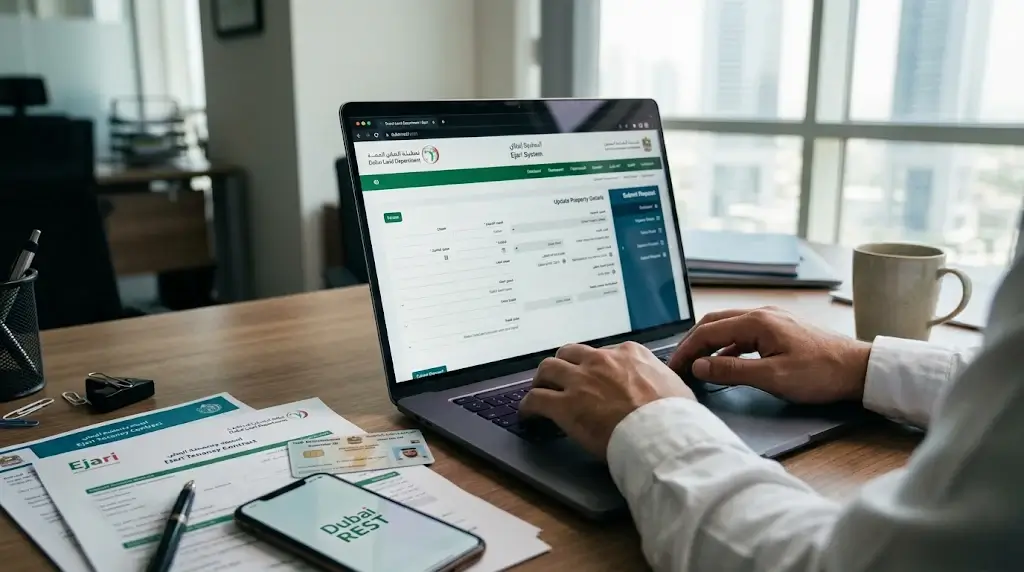
An owner gets the unit approved for rental, signs a tenant, and registers the lease. Then something changes. A phone number is replaced, an email address stops working, or a unit detail turns out to be wrong. Many owners then ask how to update property details DLD Ejari records hold, or whether the approval locks everything in place.
This guide explains what can usually be changed, how to start, and what it means for an active tenancy. If you need to change the owner contact details Dubai Land Department systems store, the steps are different from fixing unit data. The information is general, so please confirm the latest steps with the Dubai Land Department (DLD) before you act.
Can You Update Records After the Unit Is Approved for Rental?
In many cases, yes. Rental approval confirms that the unit is registered and can be leased. It does not freeze the owner profile or make every detail impossible to change. You can often update property details DLD Ejari processes depend on, but the type of change decides the route.
Think of two groups of data:
- Contact data: Mobile number, email address, and other communication details linked to the owner
- Property data: Unit number, area, size, title deed details, and other facts about the unit
Contact data is usually simple to change. Property data is more sensitive, because it is tied to the title deed and official records. This is why a request to update property information DLD keeps may need documents, while a phone number change may not.
I could not find an official DLD page that sets out one public guide for every post-approval change. The points below come from DLD service information and industry sources, so always confirm with DLD.
Can an Owner Change the Registered Mobile Number After Property Approval?
Usually yes. The approval status of the unit and the contact details of the owner are separate things. Sources describe DLD accounts as using a common login with a primary email address as the single point of communication, so keeping these details current matters.
If you need to change the owner contact details that the Dubai Land Department holds, consider these steps:
- Sign in to your DLD account or the Dubai REST app with UAE Pass
- Look for the profile or account details section
- Update the mobile number and email address
- Confirm the change with any verification message sent to you
- Check that the new details appear correctly
If you cannot find the option, contact DLD support or visit a trustee centre. DLD customer service can be reached through the toll-free number and email listed on its website. Keeping your login details current also makes it easier to update property details DLD Ejari tasks later.
How Can Property Contact Information Be Updated?
The method depends on who is making the change and which system holds the record.
Common routes:
- Online: Use the DLD website or the Dubai REST app with UAE Pass
- In person: Visit a Real Estate Services Trustee Centre with your Emirates ID and proof of ownership
- Through a representative: A person with a valid power of attorney or a registered management contract may act for the owner
- By support request: Contact DLD and ask for the correct channel for your case
When you ask to update property information, DLD teams will often want proof that you are the owner. Bring the title deed, Emirates ID, and a clear note of what is wrong or outdated. A trustee centre can also guide you if you need to update property details DLD Ejari records from outside the app. Keep a copy of the request and any reference number you receive.
Can Approved Property Details Be Corrected?
Sometimes, but it is more complex. If the unit details are wrong, for example, a mismatch in the unit number, area name, or size, you may need to amend approved property details through DLD with proof. These facts link to the title deed and the master records, so a review step is likely.
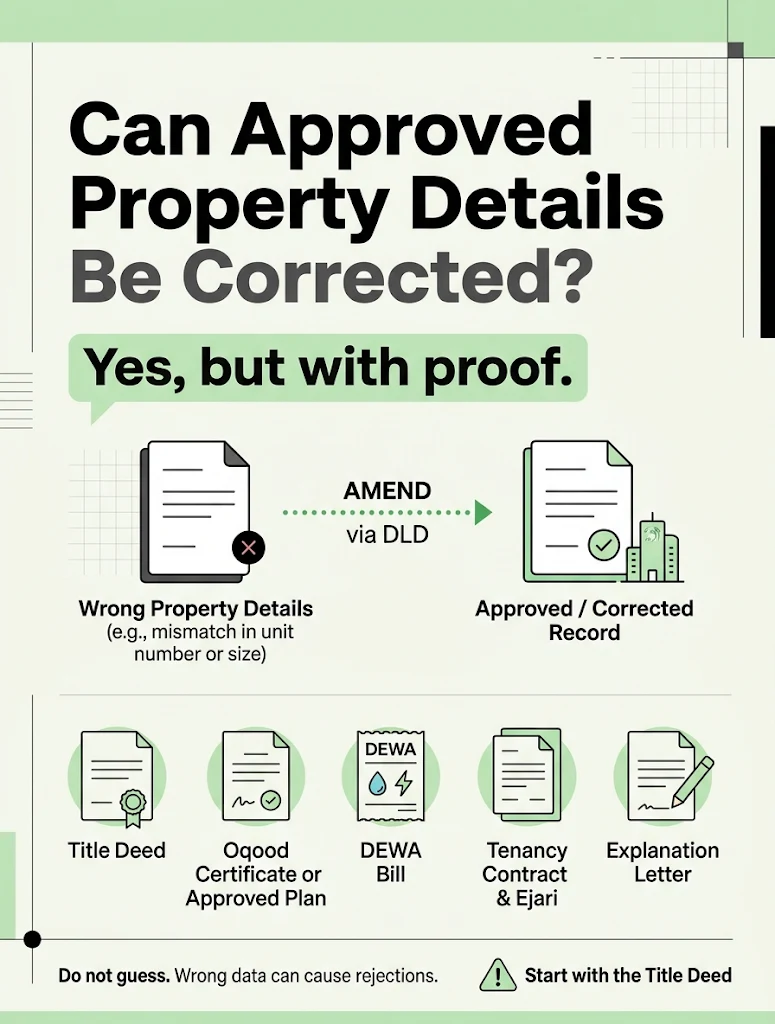
Typical proof can include:
- The title deed or Oqood certificate
- Approved plans or developer documents
- The previous Ejari certificate and the tenancy contract, if the unit is rented
- A DEWA bill showing the premises number
- A letter or form explaining the correction
Do not guess or edit the data yourself. A wrong correction can cause rejection of the next Ejari registration. If the unit data is wrong, any plan to update property details DLD Ejari records rely on should start with the title deed.
An Ejari property record update may also be needed when the property data used in the tenancy no longer matches the official record. Make sure the tenancy contract, the title deed, and the DEWA record all agree.
Does Updating Owner Contact Information Affect an Active Ejari?
Usually, a simple change of mobile number or email on the owner profile does not cancel or end an active tenancy. The Ejari record registers the lease between the landlord and tenant, so the lease continues.
However, some changes do matter. According to industry guidance, a change in the rent, the tenant name, or the property details means the registration needs to be updated. Here is how to think about it:
- Change of phone or email on the owner profile: usually no effect on the lease
- Change in the rent, dates, or tenant: an Ejari property record update may be needed
- Correction of the unit details: you may need to amend approved property details so the Ejari record matches
- Change of ownership: the current Ejari must be cancelled and a new one registered under the new owner
Always check the lease before you update property details DLD Ejari records, because some changes reach the tenancy. If you are unsure, ask the Ejari team first. A mismatch between records can cause trouble at renewal or in a dispute.
What Documents Should You Keep Ready?
A prepared owner saves time when they update property details DLD Ejari records. Keep these items together:
- Title deed or Oqood certificate
- Emirates ID and passport
- UAE Pass access
- Current Ejari certificate and tenancy contract
- DEWA premises number and a recent bill
- Power of attorney, if a representative will act
- Old and new contact details written clearly
Having these ready also helps if you need to update property information DLD or a trustee centre asks you to prove ownership.
Common Mistakes to Avoid
- Waiting until a renewal to fix wrong details
- Changing the contact number but not the email
- Assuming that rental approval means no change is allowed
- Using different spellings of the owner’s name in different documents
- Ignoring a mismatch between the title deed and the tenancy contract
- Making changes without telling the tenant when it affects the lease
Quick Checklist
- Decide whether you need a contact change or a property detail change
- Gather documents and proof of ownership
- Use the DLD website or Dubai REST app first
- Visit a trustee centre if the online option is not available
- Check that the Ejari record still matches the updated data
- Save every confirmation and reference number
- Review the need for an Ejari property record update at every renewal
Conclusion
Rental approval does not mean the records are locked forever. Contact details can usually be updated, while property details need more care and proof. An active Ejari normally continues after a simple contact change, but changes to rent, parties, or unit details may need a registration update. If you need to change owner contact details Dubai Land Department systems keep, do it early. If you must amend approved property details, expect a review. When you update property details DLD Ejari records rely on, a little preparation prevents delays and rejected submissions.
Need help updating your records? Contact the team at Ejari today. Our experts can check your documents, explain which change applies to your case, and guide you through each step. Reach out now so your property records stay accurate and your tenancy stays safe.
Frequently Asked Questions
Can an owner change the registered mobile number after property approval?
Usually yes. Rental approval and owner contact data are separate. Update the number through your DLD account or the Dubai REST app, or ask a trustee centre or DLD support if you cannot find the option.
How can property contact information be updated?
Use the DLD website or the Dubai REST app with UAE Pass, or visit a trustee centre with your Emirates ID and proof of ownership. A representative needs a valid power of attorney or management authority.
Can approved property details be corrected?
Sometimes. A correction normally needs supporting documents such as the title deed, plans, or a DEWA bill, and DLD may review it before accepting the change.
Does updating owner contact information affect an active Ejari?
A simple change of phone number or email usually does not end the lease. Changes to rent, tenant, or property details may need an Ejari registration update, and a change of owner needs a new registration.
What should I do if my details do not match across documents?
Find which document is correct, usually the title deed, then correct the others. Contact DLD or a trustee centre for the right process, and fix the mismatch before the next registration or renewal.